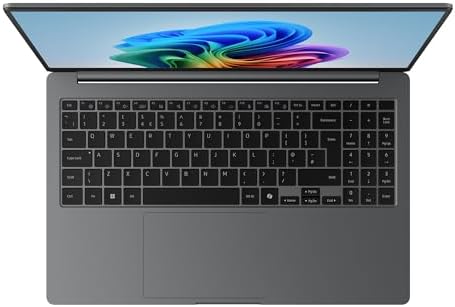
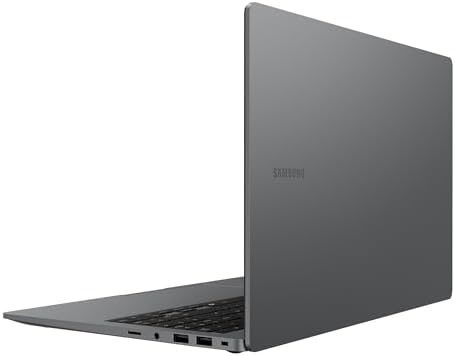
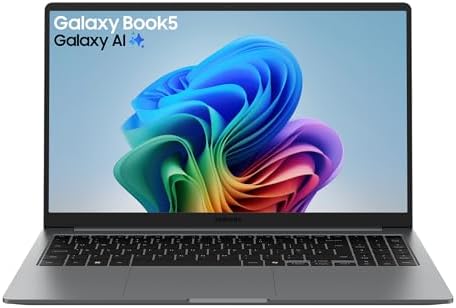
Samsung Galaxy Book5 AI Laptop, 15.6″ Display, Intel Core Ultra 5 Processor, 8GB Memory, 256GB Storage, Titan Grey
From the manufacturer With Galaxy AI at your side, Galaxy Book5 brings seamless intelligence to your day. Smart features like AI Select and Photo Remaster lighten your daily tasks, powered by reliable performance and lasting power. It’s the kind of intelligence that fits right into your everyday. ² ³ ¹³





Price: £415.83
(as of Dec 09, 2025 21:24:25 UTC – Details)

From the manufacturer


With Galaxy AI at your side, Galaxy Book5 brings seamless intelligence to your day. Smart features like AI Select and Photo Remaster lighten your daily tasks, powered by reliable performance and lasting power. It’s the kind of intelligence that fits right into your everyday. ² ³ ¹³
 Big on screen, light on weight
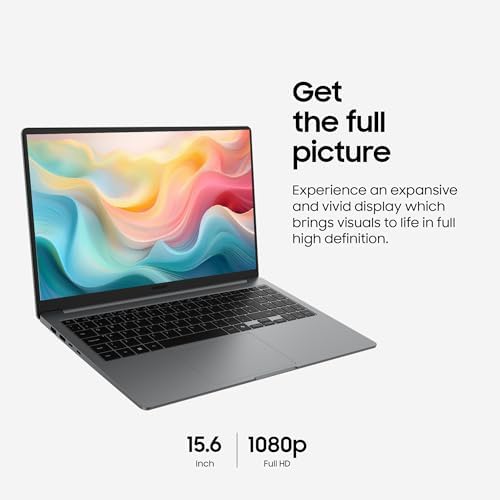
With its large 15.6″ screen, Galaxy Book5 gives you plenty of space to focus, watch, and do what you love. Designed to blend into your day from morning classes to evening catch-ups, its slim, compact build makes it easy to take with you — on the bed, at your desk, or curled up on the couch. ?
 Unlock supercharged PC performance
Experience a boost in PC performance with Intel Core Ultra (Series 2), next-gen Intel Graphics, and NPU. Use AI to help you power up your workflow with smooth coding and fluent content creation, then immerse yourself in realistic, action-packed gaming when you want to unwind. ? ?
 Instant search, right where you are
Found something interesting while browsing? AI Select turns your curiosity into answers — on the spot. Simply select it, whether it’s an image, text, or QRcode and get instant search results. It’s quick, intuitive, and fits right into your study flow. ² ³
 Your gallery, remastered with AI
Retouch images and clean up blurry photos with Photo Remaster on your Galaxy Book5. The snappy tool uses a smart algorithm that gives all-new life to your snaps and makes every detail shine — just like magic.
Stay powered up with a long-lasting battery 
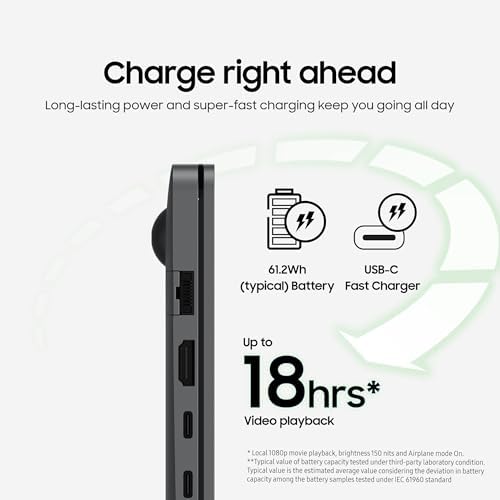
Charge once to stay productive with the long-lasting battery of Galaxy Book5, supporting up to 19 hours of video runtime. To power up, plug in the compact charger to get up to 33% in just about 30 minutes using fast charging. ? ? ¹? ¹¹ ¹²
Surround yourself with Dolby Atmos audio
Tuned with Dolby Atmos, the speakers on Galaxy Book5 fill your space with rich, immersive sound. Whether you’re catching up with studies, video chatting or tuning into your favorite music, enjoy dynamic audio that keeps you engaged from start to finish.
 Plug and play
Galaxy Book5 is equipped with a wide range of ports. Hook up essential devices to your workstation with ease using the built-in HDMI, two USB-A and two USB-C ports, microSD slot and even an RJ45 port for high-speed LAN connections. ?

Galaxy Book5 Series Comparison
Galaxy AI
Yes
Galaxy AI
Yes
Galaxy AI
Yes
Display Size
15.6″
Display Size
15.6″
Display Size
14″ / 16″
CPU
Intel Core Ultra 7
CPU
Intel Core Ultra 7
CPU
Intel Core Ultra 7
Graphics
Intel Graphics
Graphics
Intel ARC Graphics
Graphics
Intel ARC Graphics
Memory/Storage
256GB / 512GB / 1T
Memory/Storage
256GB / 512GB / 1TB
Memory/Storage
512GB / 1TB
Disclaimers
¹CPU & GPU specifications may vary depending on model, country, or region. The enhanced performance figures of the CPU & GPU are based on a comparison between Galaxy Book5 with Intel Core Ultra 7 (Series 2) 255U processor & Galaxy Book4 with Intel Core 7 (Series 1) 150U processor. Improved CPU multi-core performance tested on Cinebench R24. GPU performance tested on 3DMark TimeSpy. ²Samsung does not make any promises, assurances or guarantees as to the accuracy, completeness or reliability of the output provided by AI features.³Results for illustrative purposes. Requires internet connection & Samsung Account login. Service availability may vary by country, language or device model. Availability of supported languages may vary. Certain languages may require language pack download.?Typical value of battery capacity tested under third-party laboratory condition. Typical value is the estimated average value considering the deviation in battery capacity among the battery samples tested under IEC 61960 standard. Rated (minimum) capacity is 59.1Wh (Galaxy Book5).? Based on results from internal lab tests for local video playback time conducted by Samsung. Tested with results from a pre-release version of the device using inbox 45W charger under settings (1080p video playback from video files stored on the device’s local storage, player-Windows video players (Media Player, Movies & TV, Films & TV) with full screen, brightness-150nits, wired earphone with default volume,airplane mode on, keyboard backlight off) without connection to Wi-Fi or mobile network, measuring the time until the device is discharged to 2%. Battery life varies significantly depending on settings, network environment, usage patterns & other factors. Actual charging speed may also vary depending on the actual usage, charging conditions & other factors.?Battery capacity, video runtime on a full charge & amount of charge that can be charged in 30 minutes vary by model & configuration. Galaxy Book5 model features a 61.2Wh (typical) battery, supports up to 19 hours of video runtime on a full charge & can be charged with up to 33% charge in 30 minutes. ?The inbox charger & data cable are USB Type-C. Using the original Samsung data cable & charger is recommended?Thickness, weight & color availability may vary by model, configuration & country. Screen size is measured diagonally as a full rectangle without accounting for the rounded corners. Actual viewable area is less due to the rounded corners.?Port layout may vary by model. Actual speed of USB may vary depending on user environment. ¹?To use the Nearby devices feature, phone, tablet, or PC must be signed into Samsung account, Wi-Fi & Bluetooth must be enabled, & the following conditions must be met.Galaxy phones & tablets: One UI 7 or higher Galaxy Books: The Nearby devices app needs to be installed from the Microsoft Store. Samsung Settings 6.0 or higher. Samsung Continuity Service 1.13 or higher. Discoverable devices:Galaxy phones & tablets: One UI 7 or higher required for full functionality. If your phone or tablet has One UI 4.1.1 or higher & Continuity Service 1.2.27 or higher, only limited features are available. Galaxy Books: Samsung Settings 6.0 or higher. Samsung Continuity Service 1.13 or higher Samsung TVs (released in 2016 or later), Smart monitors, & projectors: Must be turned on & must have been connected to the phone/tablet at least once using Smart View or DeX.Galaxy Buds, Watches (Galaxy Watch4 & above), fitness bands, & Rings: Must be paired with the phone using Bluetooth. Galaxy Buds must be removed from the case or the case must be opened. ¹¹Feature availability may vary by region & device model. ¹²Each device must be signed in to same Samsung account & must have both Wi-Fi & Bluetooth turned on. Requires updated Galaxy phones & tablets with One UI 7 or higher & kernal version 5.15 or higher & Galaxy Book2 or later(Intel) & Galaxy Book4 or later(Arm) & Samsung Smart TV models including U8000 & above released after 2025.¹³Image simulated. Actual UX/UI may differ. Samsung account login may be required to use certain AI features. Some function availability may vary by device model.
Performance: Get productive with the Intel Core Ultra processor (Series 2), Intel Graphics & NPU, Use AI to enhance your workflow for smooth coding & fluent content creation then enjoy realistic, action-packed gaming ¹
AI Capability: Unleash the power of AI with AI Select, search intuitively right on your PC screen, Photo Remaster lets you retouch images & clean up blurry photos effortlessly like magic ² ³
Battery: Charge once to stay productive with the long-lasting battery of Galaxy Book5 with up to 19 hours of video runtime, To power up, plug in the compact charger & get 33% in approx. 30 minutes using fast charging ? ? ? ?
Display & Ports: Galaxy Book5 gives you plenty of space to focus & do what you love with its 15.6″ screen, Bring it anywhere with its slim, compact build, Equipped with 2x HDMI ports, 2x USB-A, 2x USB-C ports, 1x microSD slot & RJ45 port ? ?
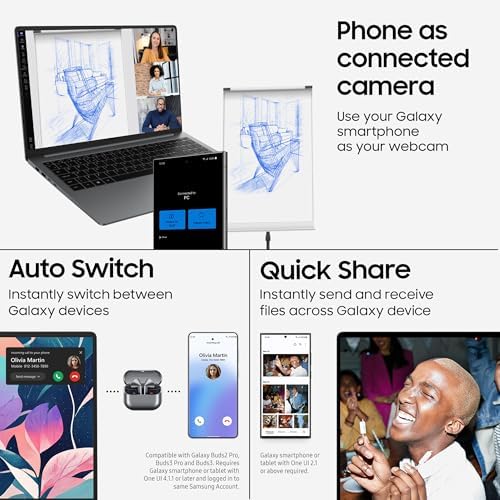
Stay Connected: NearbyDevices lets you easily connect & operate your Galaxy devices with a simple drag-&- drop on your Galaxy Book5, Use MultiControl & StorageShare to view photos, play videos & edit content directly on your PC ¹? ¹¹ ¹²
)
Comments